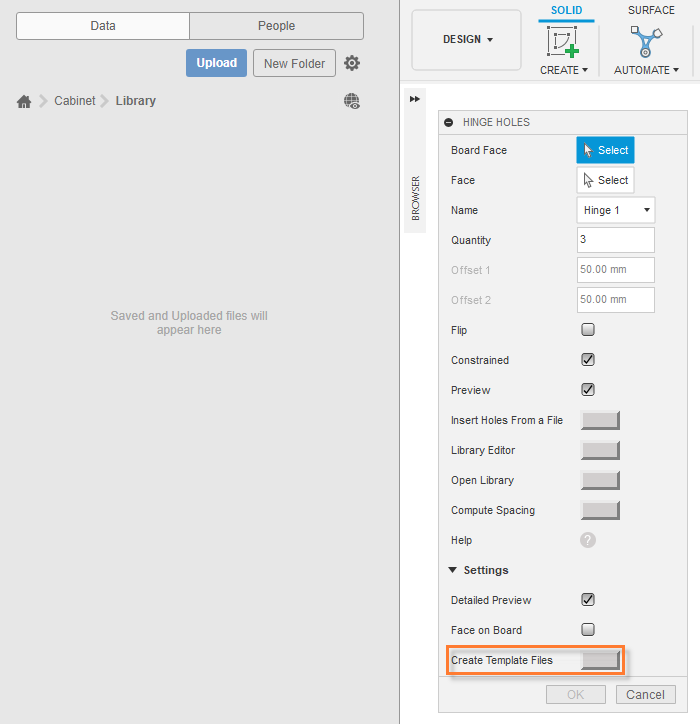
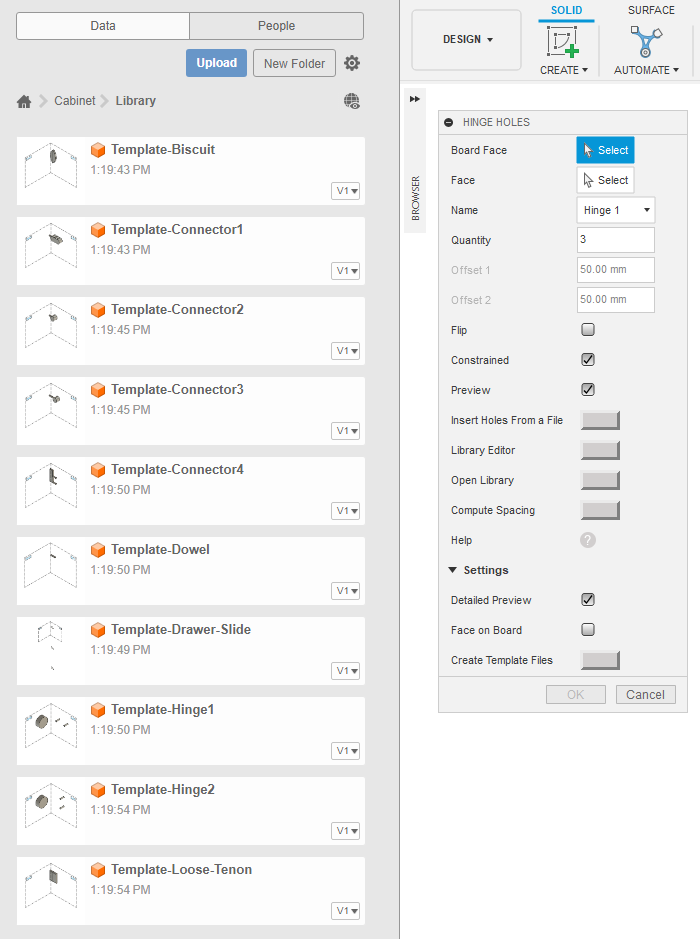
Press the Create Template Files button in Settings. It will create template hole files in the active folder. The template hole files for hinges, drawers and connectors can be modified to match the current holes.
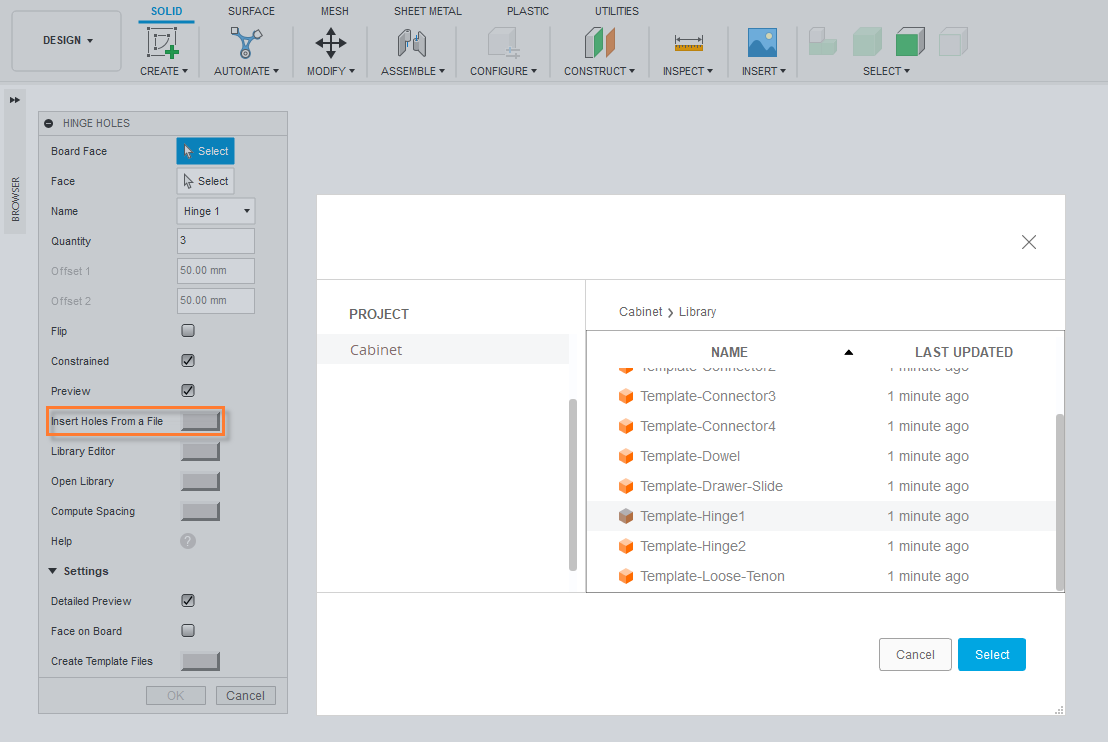
Press the Insert Holes From a File button. Holes from a file in the same project or in a team are inserted as references. Holes from other projects are pasted.
Select the file with holes.
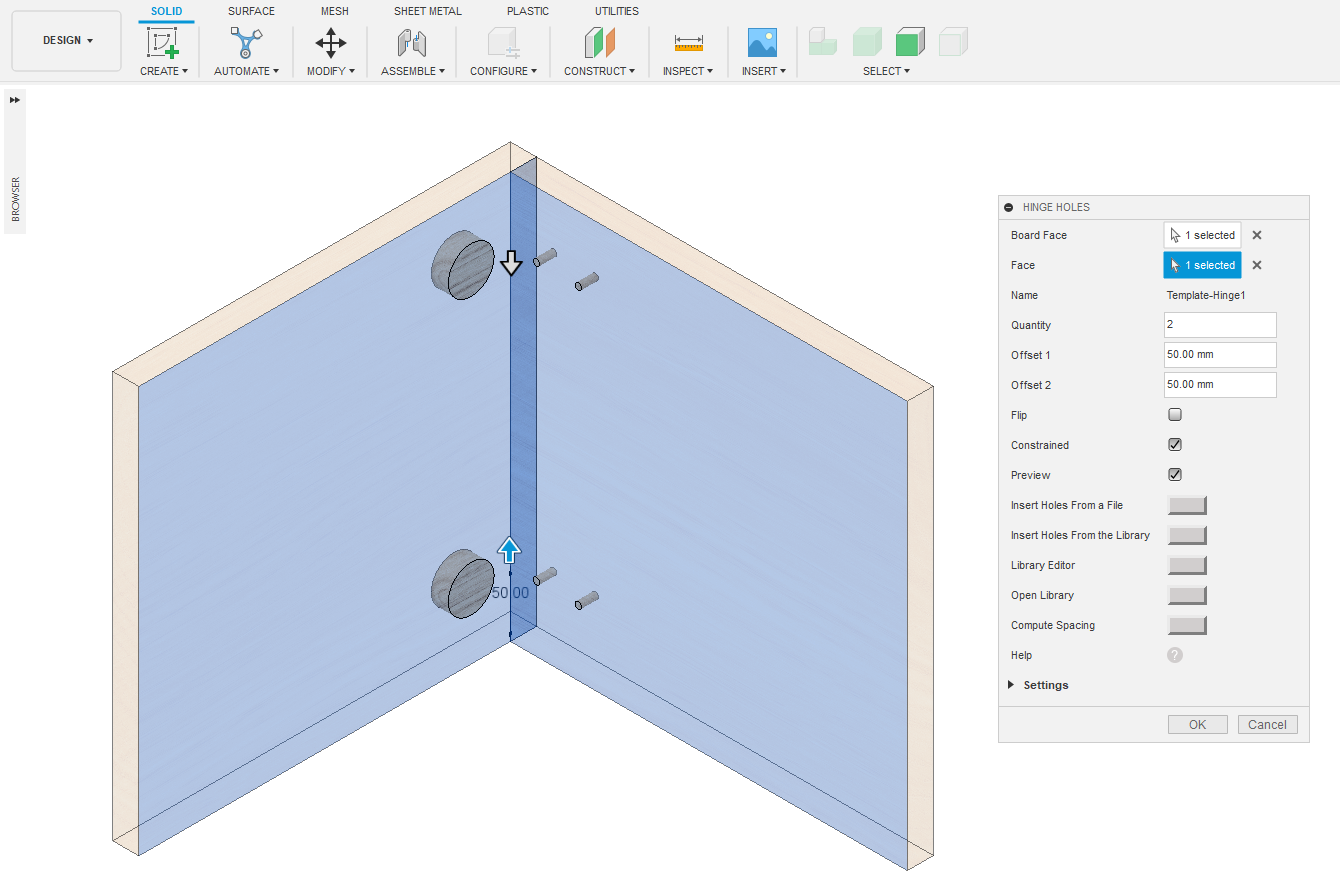
Select Board Face and Side Face.
Press the OK button.
1 Press the Create Template Files button in Settings.
2. Template files in the active folder.
3. Press the Insert Holes From a File button. Select the file with holes.


 info@maciejrogowski.com