Have any questions?
info@maciejrogowski.com
Maciej Rogowski
Since 2012
Menu
Home
Products
Align Text
CAM Post
CAM Utility
Dowel Joint
Fill Gaps
Find and Replace
Hinge Holes
Loose Tenon Joint
Mill DXF
Mortise and Tenon
Panel Labels
Panel Offsets
Self-Aligning Jig
Shelf Holes
Text on Arc
Text Table
Veneer
Catalog
Support
Customers
About
Contact
General Usage Instructions
Mortise and Tenon Help
To create mortise and tenon between two boards:
Press the
Mortise and Tenon
button in the
Solid
>
Modify
panel.
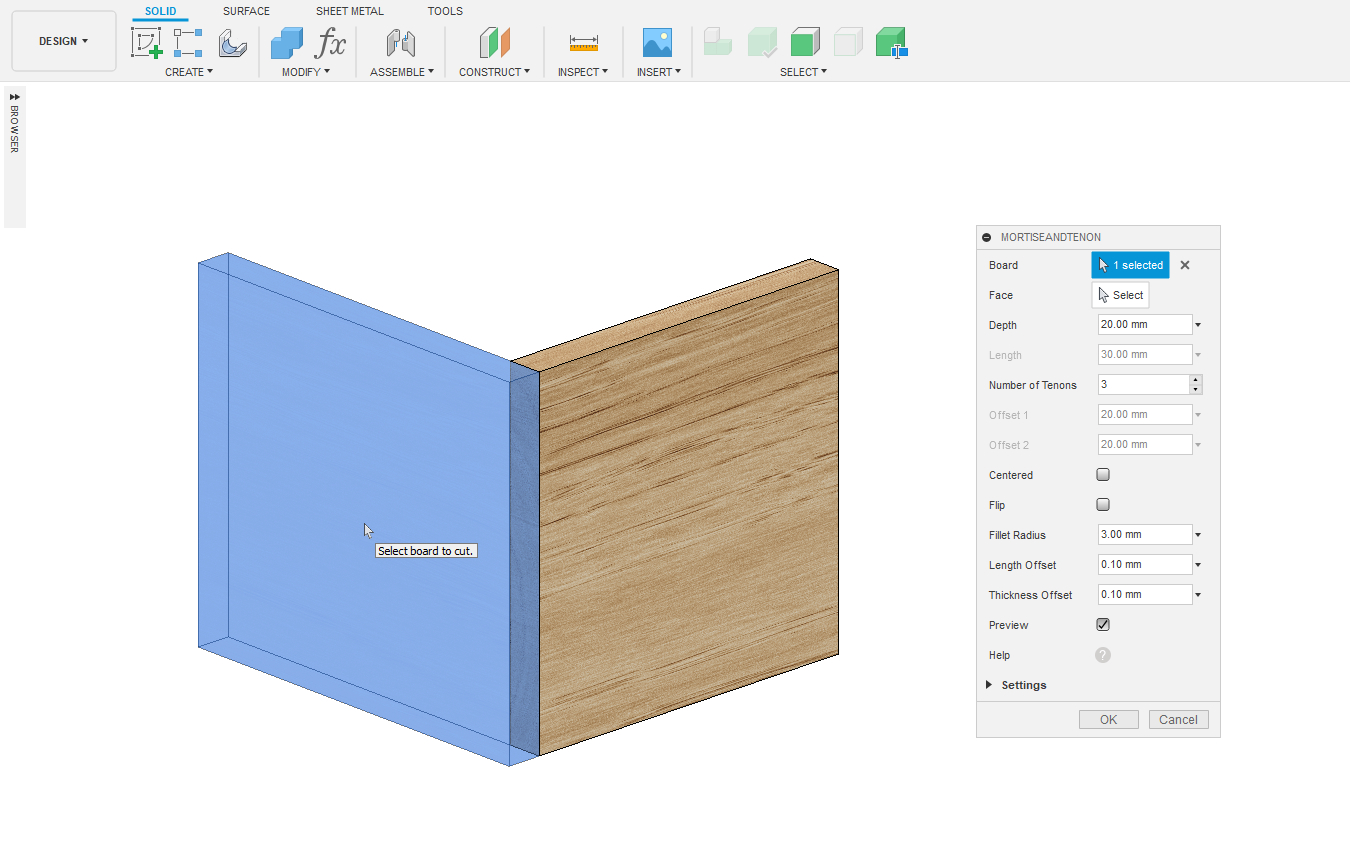
Select a board to cut the mortise.
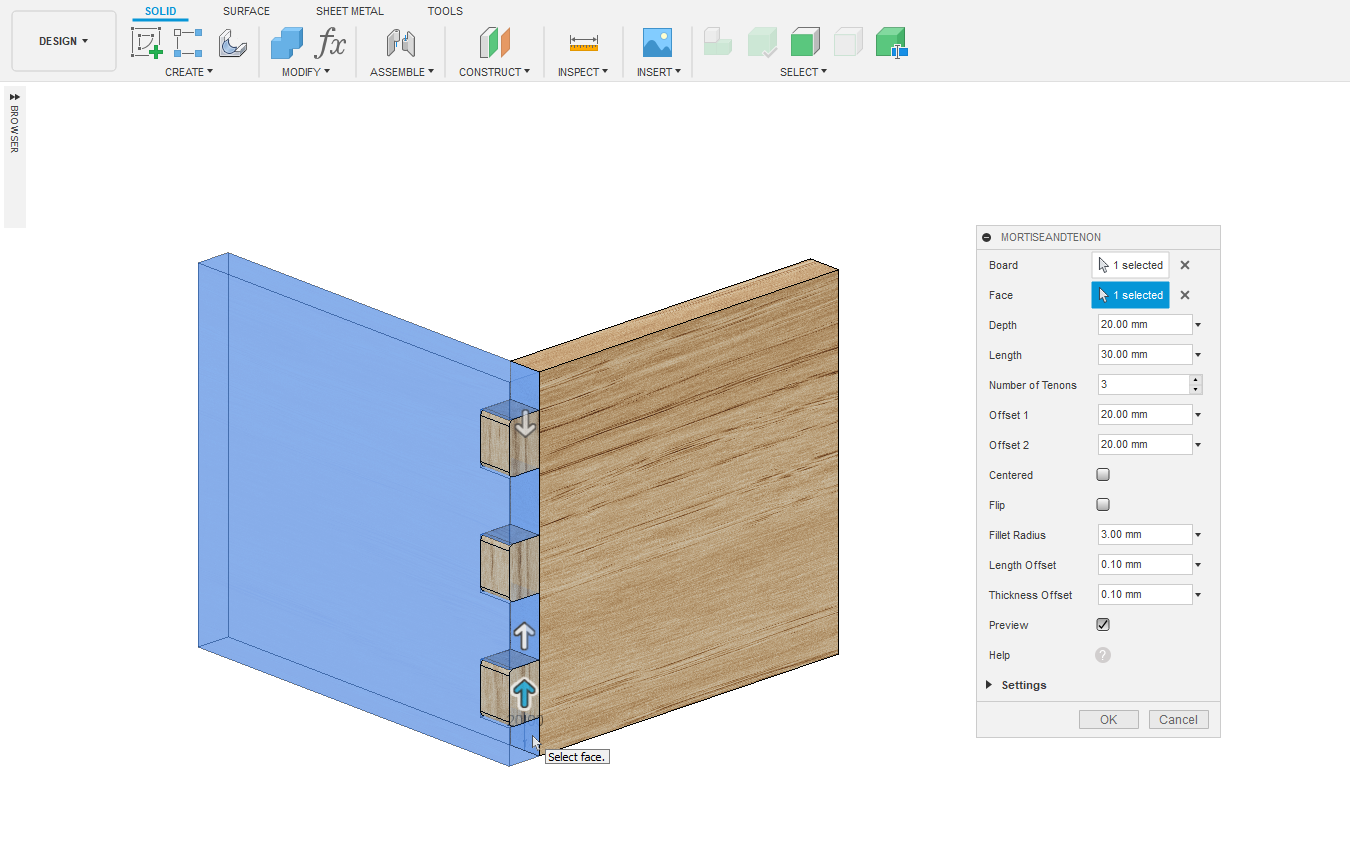
Select a face for the tenon.
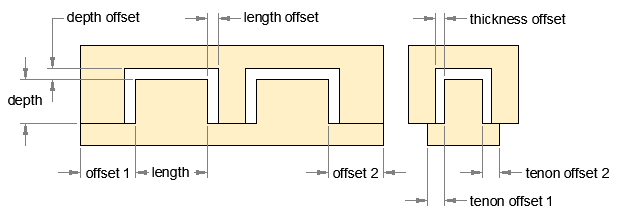
Specify the joint depth, length, thickness, offsets and number of tenons.
Press the
OK
button.
1. Press the
Mortise and Tenon
button in the
Solid
>
Modify
panel.
2. Select a board to cut the mortise.
3. Select a face for the tenon.
4. Specify the joint depth, length, thickness, offsets and number of tenons.
5. Mortise and tenon.
Copyright 2025 Maciej Rogowski |
Terms and Conditions
|
Privacy Policy




 info@maciejrogowski.com